
Click any competitor to access the more detailed competitor view.
Summary Header
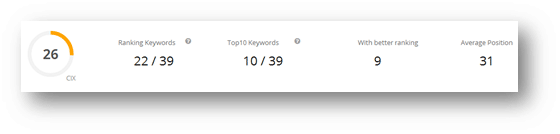
- CIX: Cuutio Index indicates what kind of overall performance your competitor has. The scale is 0-100, where 80+ is very good.
- Ranking Keywords: With how many of your monitored keywords they have a search engine result.
- Top10 Keywords: With how many of your monitored keywords they have a top 10(first result page) search engine result.
- With better ranking: With how many of your keywords they are ahead of you.
- Average Position: What is their average search engine result position with your keywords.
General Analytics
Toolbar
The same as in the My Keywords and Keyword History views.
Graph
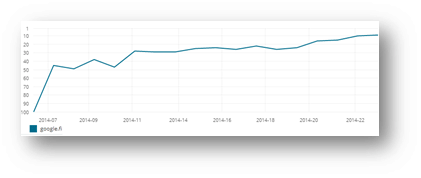
Choose keyword group(s) you want to investigate from the Filters (toolbar). The graph shows you the competitor’s development of average positions within the selected groups and time range.
Settings tab
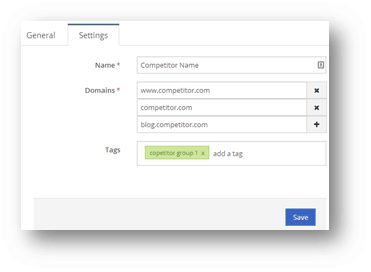
- Name: The name of your competitor.
- Domains: Domains in monitoring. Add all domains that are relevant to your competitor’s visibility. Remember that www.domain.com is a different domain than domain.com so if you are not sure which is their primary domain add both. Also subdomains such as blog.domain.com should be added separately.
- Tags: Add the competitor to competitor group(s).